This is a step-by-step guide for service providers who are are newly subscribed to the Sign Up Portal for Retail Service Providers.
Following this acceptance testing plan will assist you verify that Emersion have correctly enabled the module for your retail service provider account.
This module is not available with wholesale service provider accounts.
Step-by-step guide
The first item to validate, is that you have access to the End User Portal customisation section in Cumulus.
To do this:
- Log into Cumulus
- Go to Admin > Settings
- You should see the Signup Settings sub tab under this section.
Next, check to ensure the URL loads the portal login page. The URL will have been supplied to Emersion by your company during the onboarding process and will take the format of https://xxxx.yourcompany.com.au.
To do this:
- Open any web browser.
- Enter the URL you nominated to be your end user portal URL.
- The end user portal log in page should load in the screen
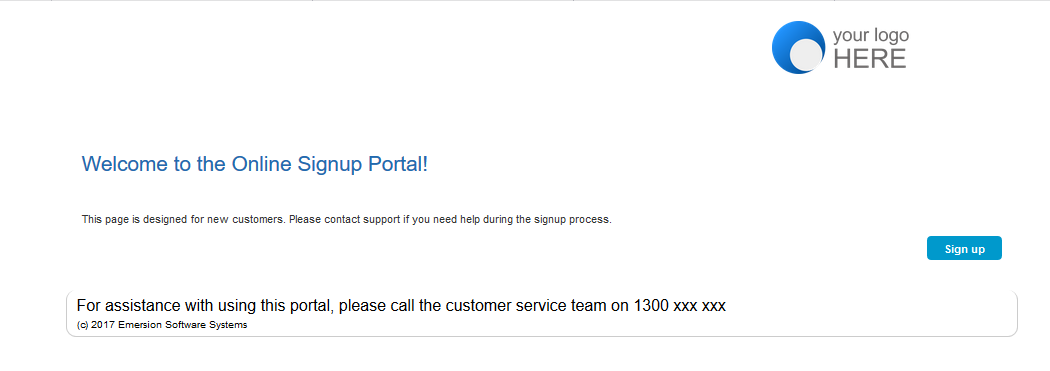
The landing page will look like a generic version of the page above. If the page loads, the test was a success.