Overview
This article covers how to add a cost centre to a cardline in Cumulus.
Prerequisites
In order to do this, users need to have set up the relevant cost centre types and values and make them available to the account. See the main page of the Cost Centre Module for these help articles.
Add a Cost Centre to a Cardline
To do this, user can access one of two screens.
Customer > Pending Ledger Cardlines
Finance > Accounts Receivable > Pending Cardlines
Use the search filters on the page to search for the cardline you want to alter.
Click the inspection icon (the magnifying glass) to expand the list row and edit the cardline.
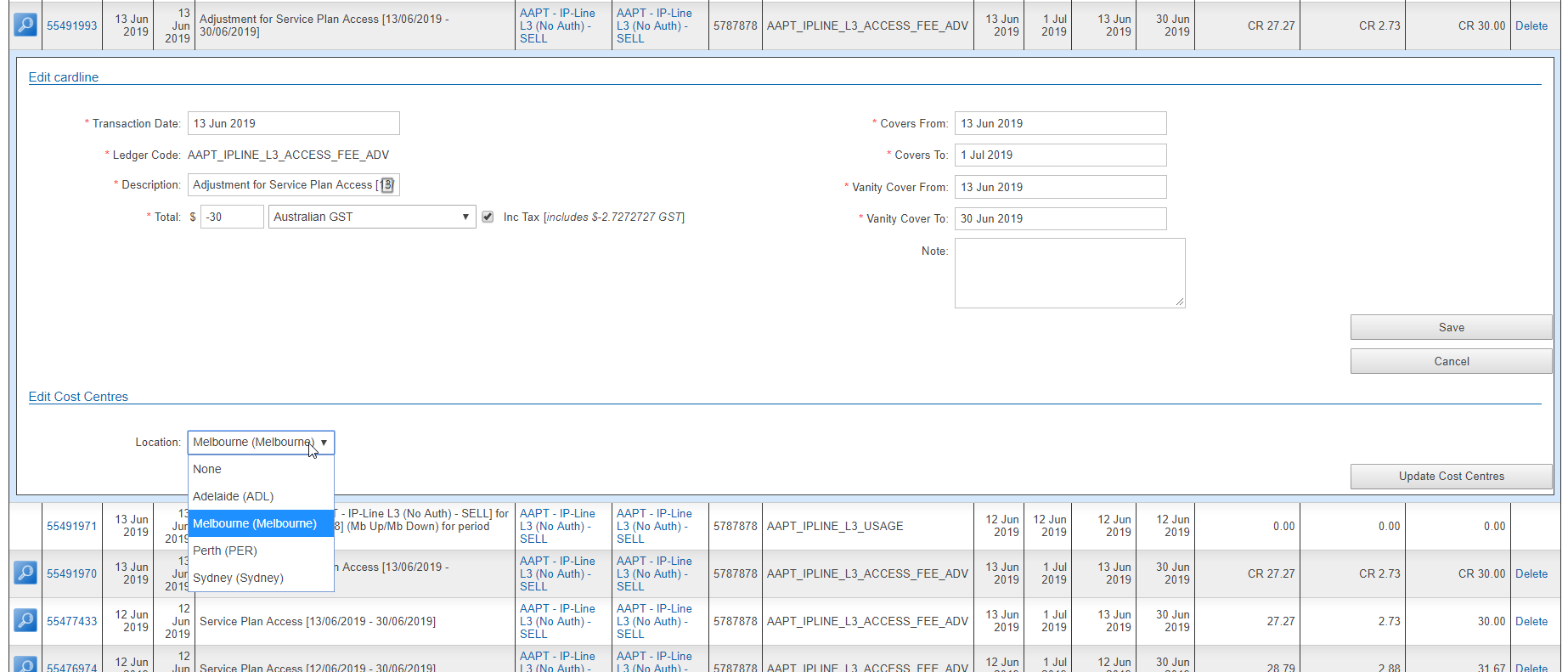
Under the Edit Cost Centres section heading, each available cost centre type will be listed with a drop down field containing the enabled values.
For each type, select the value from the list.
Press the Update Cost Centres button to save the changes.