Overview
The ConnectWise Integration Connection settings page enables the integration between Emersion and ConnectWise to occur.
API User
In order for the Emersion system to log in to your ConnectWise instance, an active API user will need to be set up in ConnectWise. We suggest it be called "EME User" or something similar.
If you do not know how to create an API user in ConnectWise, please consult the ConnectWise University.
The API public and private keys need to be configured in Emersion.
Configure Server Settings
To access the page, navigate to: Integrations > ConnectWise > Settings > Connection
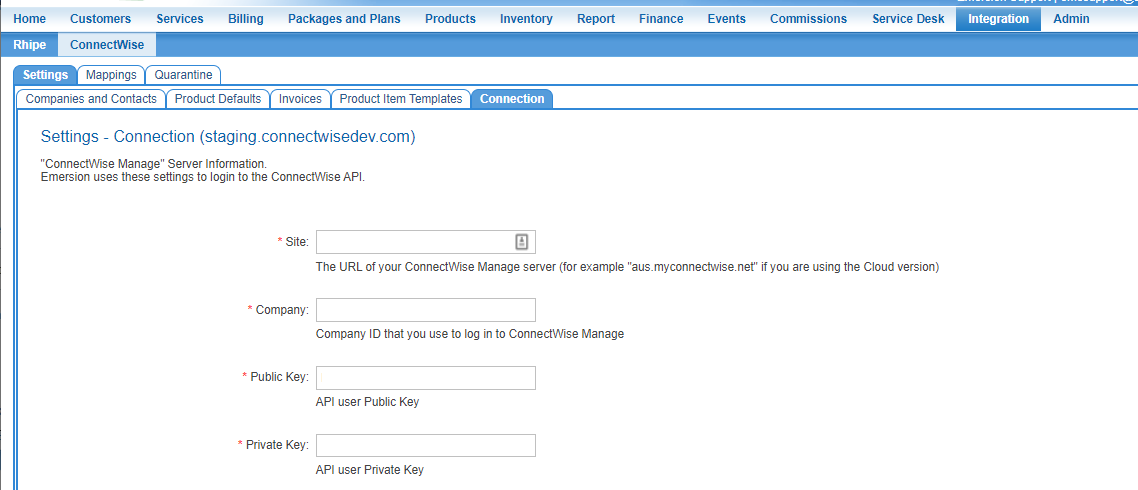
Enter your ConnectWise Manage server settings into the following fields.
| Field | Description |
|---|---|
| Site | The URL of your ConnectWise Manage server. |
| Company ID | Enter your ConnectWise Company ID. |
| Public Key | This is an alphanumeric string from the ConnectWise API User details. |
| Private Key | This is an alphanumeric string from the ConnectWise API User details |
When you are finished, press Save.