Overview
This article explains the process for deleting a commission. A deleted commission has its status set to Withdrawn.
Only commissions that are pending (in the Created status) can be deleted.
Deleting a commission is irreversible.
Commissions that are ready for approval can also be deleted from one of the Requiring Approval tabs, see Delete a Commission from the Commissions Requiring Approval Tab below.
Delete a Commission from the Pending Tab
Navigate to the Commissions > Manage then open the pending tab for the type of commission you want to delete:
- For bounties open Pending Bounties.
- For trails open Pending Trails.
- For product sales open Pending Product Sales.
The pending page lists all the commissions of a specific type (Bounty, Trail or Product Sale).
Commissions that have already been Processed or Withdrawn will also appear in this list, they can be filtered out by selecting Created in the Status field.
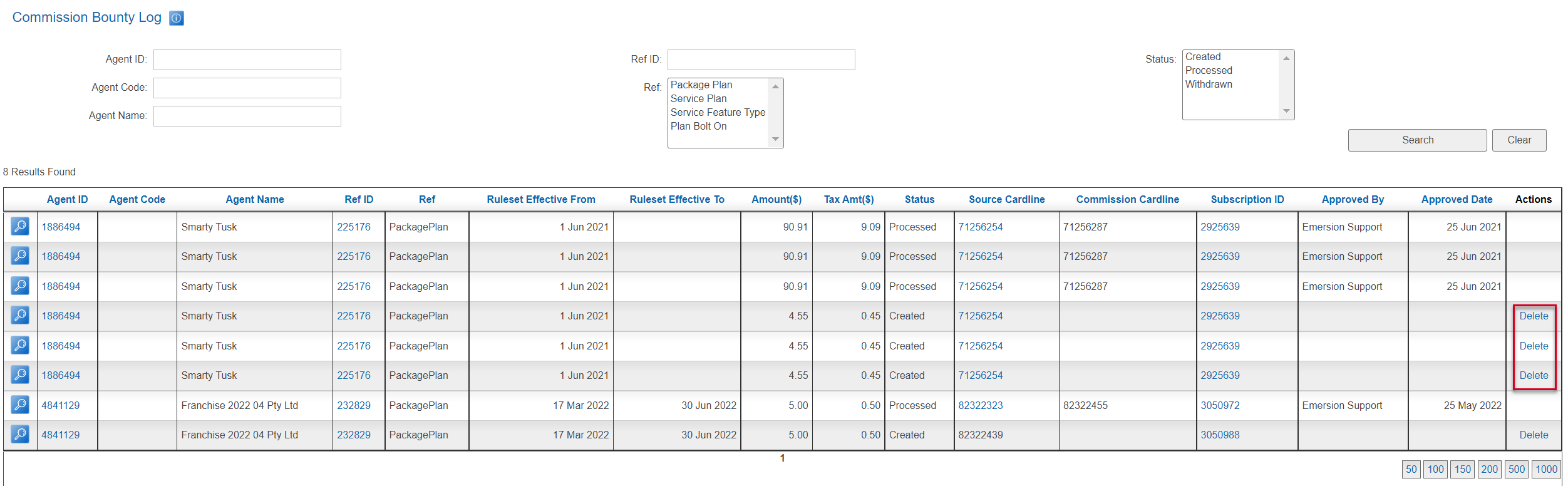
You can use the fields at the top of the table to filter the results. Once you have found the commission you wish to delete press Delete in the rightmost column.
You will be presented with a confirmation popup before the commission is deleted.
Delete a Commission from the Commissions Requiring Approval Tab
Navigate to the Commissions > Manage then open the requiring approval tab for the type of commission you want to delete:
- For bounties open Bounties Requiring Approval.
- For trails open Trails Requiring Approval.
- For product sales open Product Sales Requiring Approval.
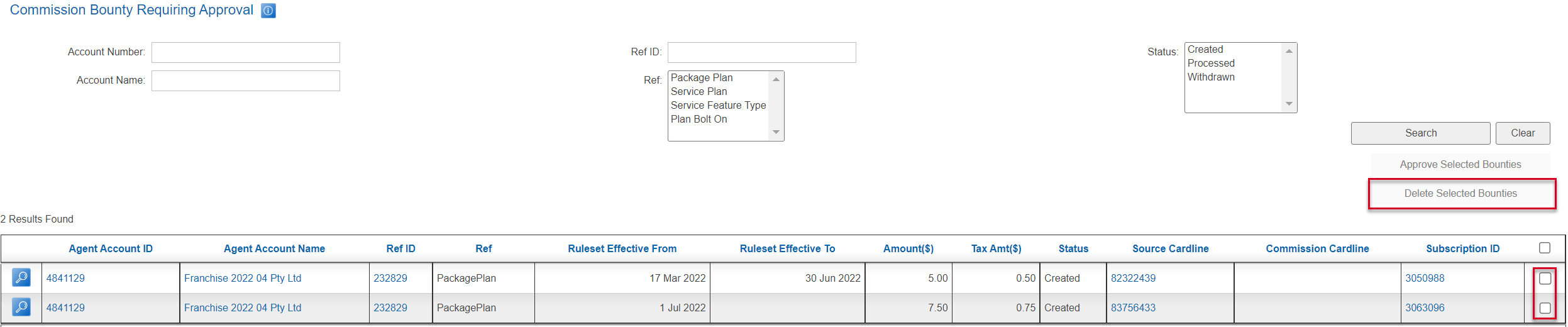
To delete commissions from this page, check the box in the right-most column for each of the commissions you want to delete.
Press the Delete Selected Bounties* button to delete all the selected commissions.
* For Trails, this button will be called Delete Selected Trails. For Product Sales this button will be called Delete Selected Product Sales.