Overview
This article covers how to initiate a service type migration.
There are two methods available.
- Initiate via the bulk import
- Initiate in Cumulus
Initiate via Bulk Import
This method is more appropriate when performing a mass migration of services. Up to 500 services at a time can be processed through this import. If there are more services to migrate, create multiple import files.
Initiate via Cumulus
To imitate a service type migration, start at the originating (source) package subscription.
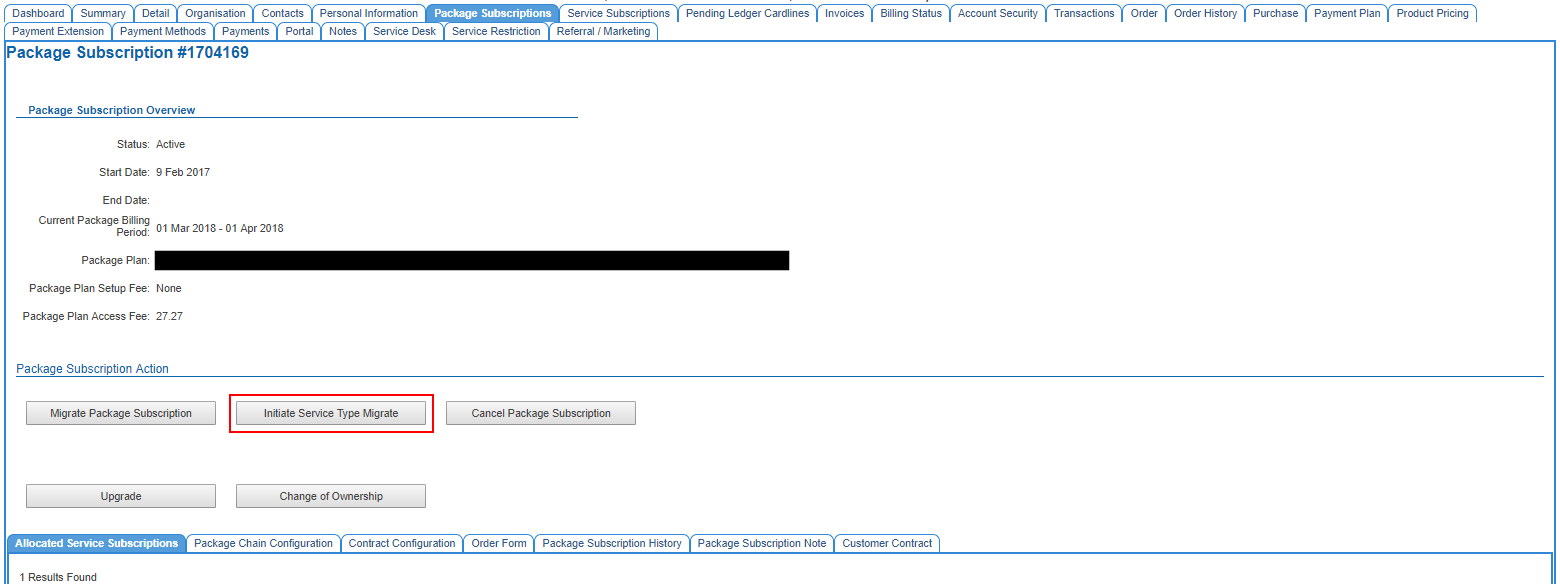
Customer > Package Subscriptions
Open the package subscription that is to be migrated by clicking on the Package Sub ID on the right-hand side of the table.
Press the Initiate Service Type Migrate button to commence the process.
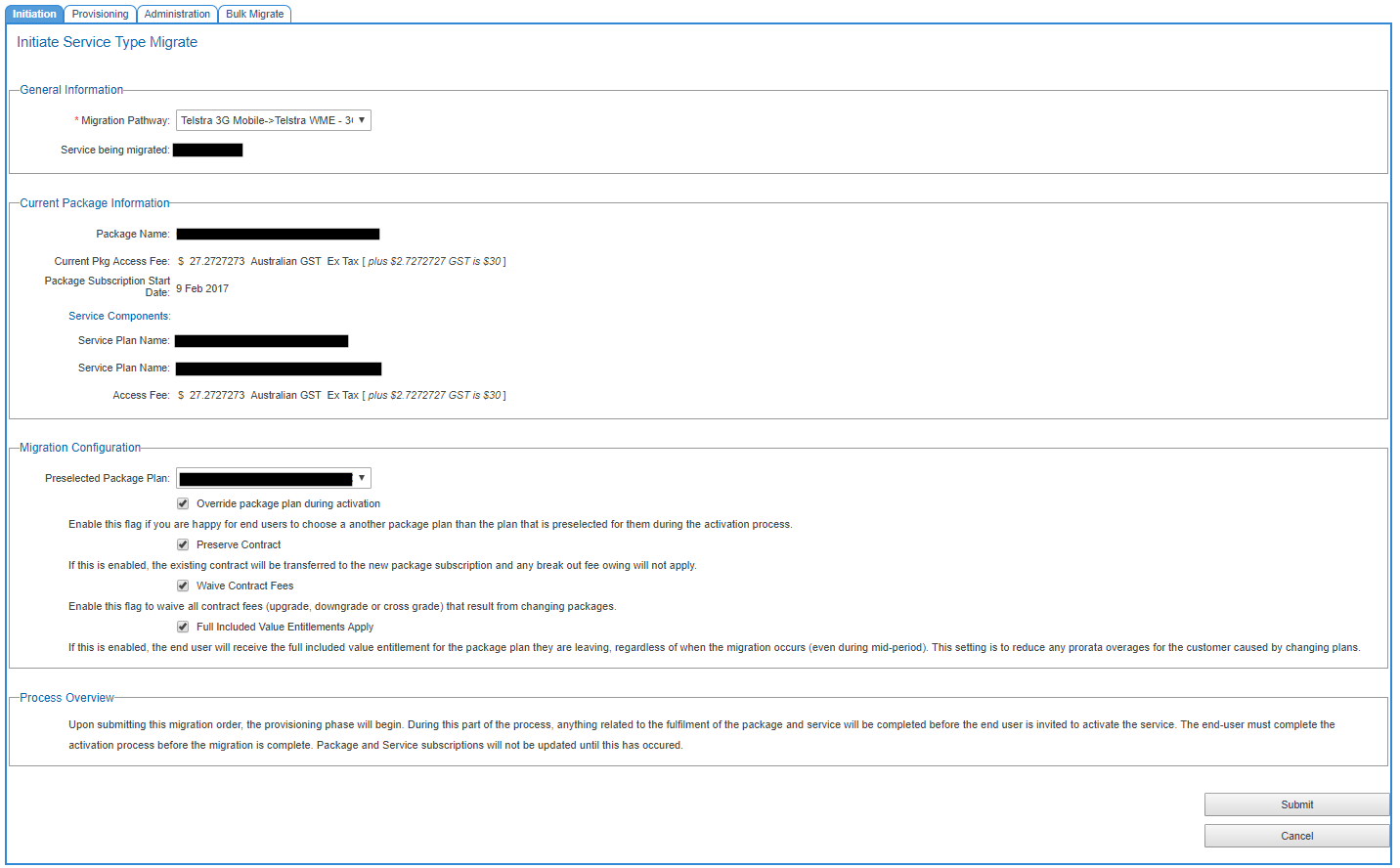
The user will be taken to the Services > Service Type Migration > Initiation page.
Under the General Information section:
- Choose from the list of migration pathways that this migration is for.
Pathways are not bidirectional. If you allow migrations between service types in both directions, these will be list separately in the drop down.
The Current Package Information section shows users what plan the customer is migrating from.
Under the Migration Information section, users can:
- Preselect the package plan the customer will migrate to. Default settings determine how the system will behave in terms of allowing the the customer to select a different plan prior to activating the service and completing the migration.
- Follow the on-screen help and check each flag as required.
- Below this is a Process Overview section, explaining how the process will work (assumes end users will activate services via the activation portal.
- When you are done, press Submit.
While the process has been initiated, no migration will take place. Migrations will adopt one of the following statuses.
- Fulfillment Required - Used if the activation portal is not in play.
- Waiting on End User - Used if the activation portal is in play.
Service type migrations can be withdrawn after submitting a migration request. Withdrawing a service type migration is the equivalent of aborting a package subscription migration.
The next step is to finalise the migration.
If the status of the migration is Waiting on End User, the customer must activate the service via the activation portal themselves. There is no support for overriding this step in Cumulus.
If the status of the migration is Fulfillment Required:
- A Cumulus users must finalise it.
- Finalising involves checking the information and making any last minute changes.
- Once finalised, the status is updated to Pending Activation stage.
Related Pages
The Initiation Screen for a Service Type Migration