Overview
These settings control the default options for invoice behaviour when creating a new customer. These settings can be overridden on a customer to customer basis.
This screen can be found at: Admin > Settings > Service Provider Defaults > Invoices.
Open the fields for editing by pressing Edit. When you are finished press Save to submit you changes or Cancel to discard them.
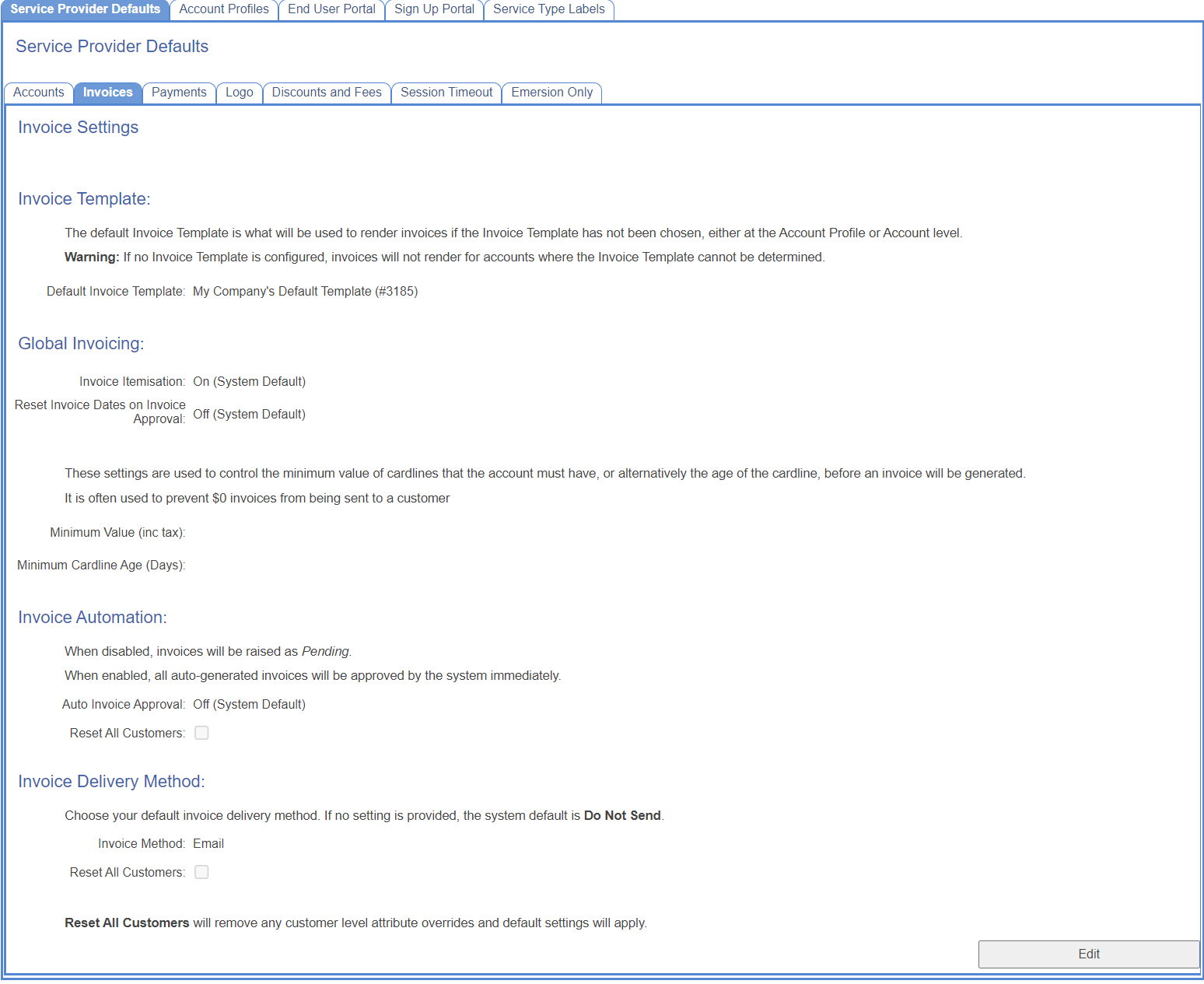
Invoice Template
| Field Name | Description | Need More Help? |
|---|---|---|
| Default Invoice Template | Invoice templates are chosen following inheritance rules (see link). The invoice provided here is used when no other invoice templates are applicable. |
Global Invoicing
| Field Name | Description | Need More Help? |
|---|---|---|
Invoice Itemisation | Defines if a customers invoice will include itemised usage records, or a summary only. | Do Not Show Itemisation |
| Reset Invoice Dates on Invoice Approval | If set, invoice issue dates will be set to the date the invoice was approved, and the due date recalculated. | |
| Minimum Value (inc. tax) | An Invoice will be generated once a cardline reaches this value. This won't prevent an invoice being generated due to cardline age (below). | |
| Minimum Cardline Age (days) | Set the minimum number of days for a cardline before an invoice will be generated. This won't prevent an invoice being generated due to surpassing the minimum cardline value(above). | |
| Days to delay processing of invoice periods | How many days after the end of the billing period to wait before generating an invoice. | Invoice Period Processing Delay |
Invoice Automation
| Field Name | Description | Need More Help? |
|---|---|---|
Auto Invoice Approval | If disabled, invoices will need to approved manually, either individually or in bulk, before they will be sent out to customers. | Invoice Delivery and Approval |
| Reset All Customers | If checked, then when save is pressed, all customers per account overrides for the settings in this table will be removed. This will cause all customer accounts to fall back on the default settings from this page. |
Invoice Delivery Method
| Field Name | Description | Need More Help? |
|---|---|---|
Invoice Method | Choose how invoices will be delivered to customers. | Invoice Delivery and Approval |
| Reset All Customers | If checked, then when save is pressed, all customers per account overrides for the settings in this table will be removed. This will cause all customer accounts to fall back on the default settings from this page. |