Overview
These settings control the default options for payment behaviour.
This screen can be found at: Admin > Settings > Service Provider Defaults > Payments.
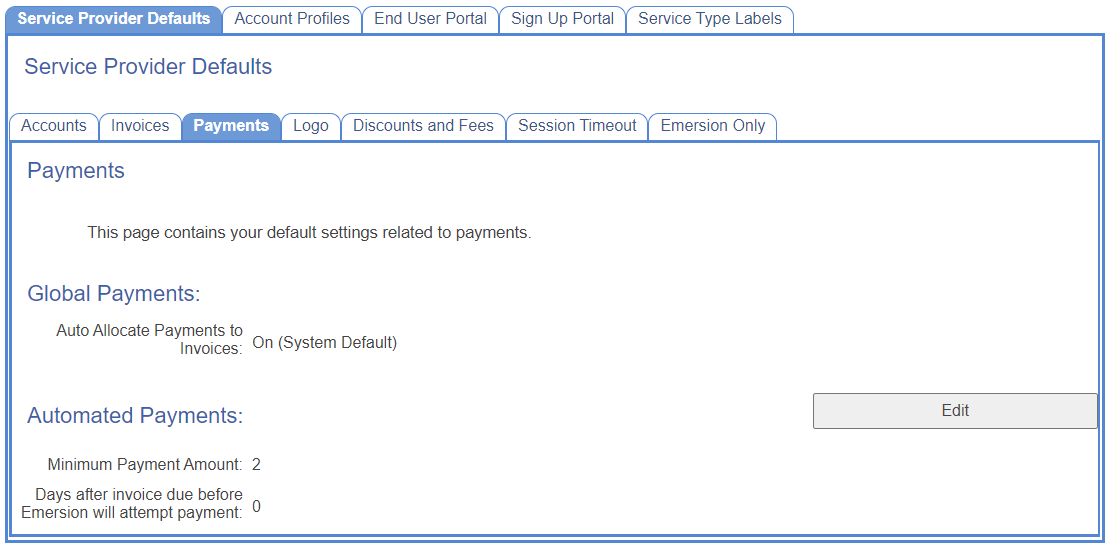
Global Payments
| Field Name | Description | Need More Help? |
|---|---|---|
| Auto Allocate Payments to Invoices | If set, payments will be used to pay of the balance of the oldest invoices automatically. | Payment Allocation Fundamentals |
Automated Payments
| Field Name | Description | Need More Help? |
|---|---|---|
| Minimum Payment Amount | The minimum amount owed before the system will attempt to take a payment. | Automated Payment Attributes |
| Days after invoice due before Emersion will attempt payment | How many days to wait before attempting an automated payment. | Automated Payment Attributes |