Overview
This article covers how to use the SMS Out feature to build a recipient list and send a single SMS notification to the list of recipients.
For more information about the SMS Out feature, or the SMS Events module, please see click the relevant links.
Sending a Bulk SMS
The process to build and distribute an SMS is performed in 4 steps:
- Preparation of data
- Create a template
- Build a recipient list
- Review and Send
Data Preparation
Before attempting to build your notification, recipient list and send the SMS notification to subscribers, we recommend you spend some time ensuring your account, contact and service-related data is correctly set up.
The recipient list that is generated in Emersion is built using search filters. These filters are subject to business rules.
Create a New Template
To start, go to Events > SMS Out
The system will show a list of previously created templates.
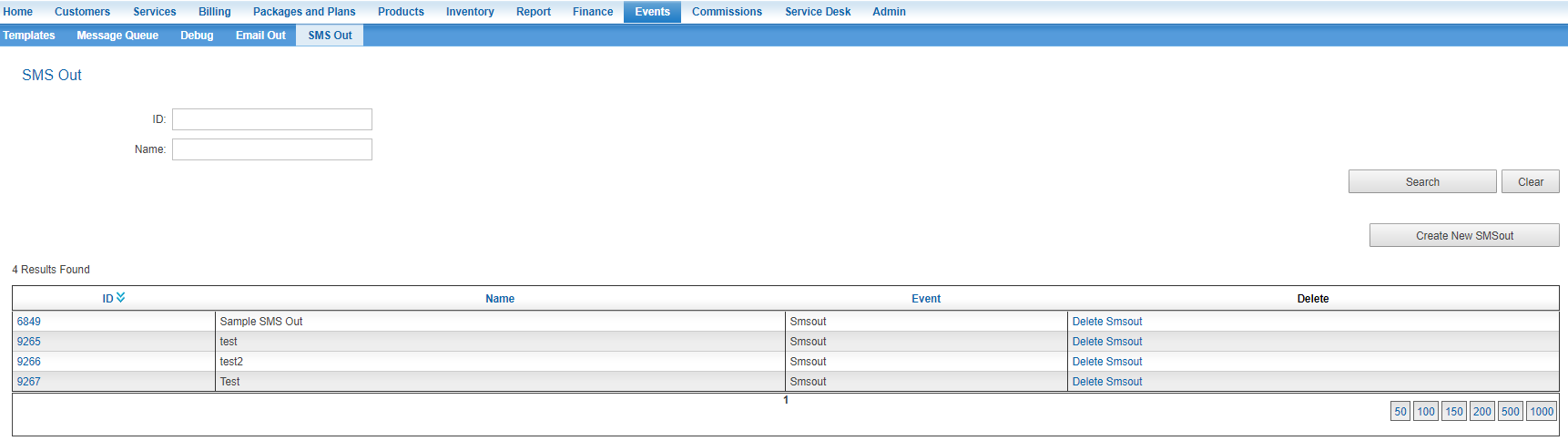
Press the Create New SMSOut button.
The page to create a new template will be opened.
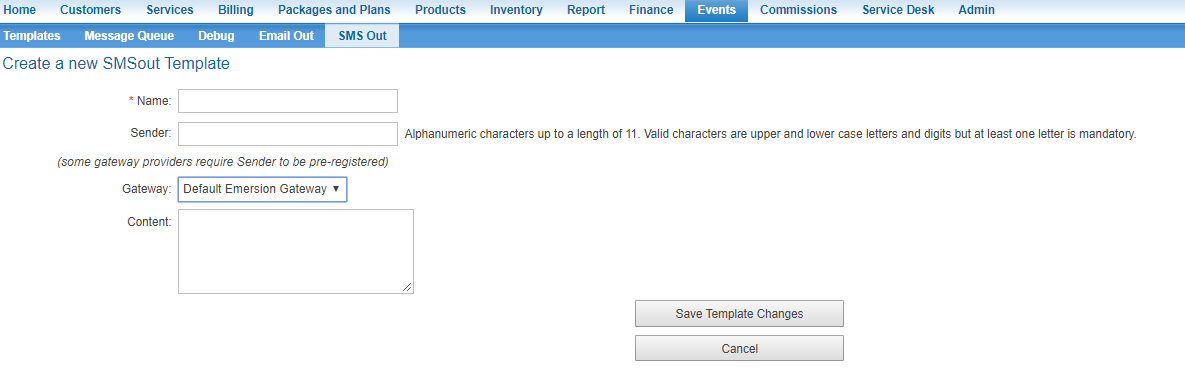
Enter a Name for the template/notification that describes the message adequately.
This name is not seen outside Cumulus. Its designed to to easily identify the message and its purpose. I.e. "March Usage Delay" or "2019 Christmas Promo".
Enter the Sender.
Some gateway providers implement rules and restrictions on what the Sender field must contain, whereas other gateway providers have different requirements, or no restrictions at all.
If the gateway that is selected has data validation rules in play for this field, these will be displayed to the right of the field. Click here to learn how Emersion can support your preferred SMS gateway provider.
If multiple gateways are available, select the Gateway from the list. This will be the gateway used to send the message.
Enter the content of the message into the Content field.
Messages larger than 140 characters will be split into multiple SMS messages to cater for older handsets that cannot support larger SMSs.
To save the template and return to the list, press Save Template Changes.
To proceed with building the recipient list, press the Select Users & Prepare for Sending button.
Build the Recipient List
The next step is to build the list of recipients who will receive your notification.
Using the search filters, find the recipients from your customer base. The results will be shown in the Found Recipients window.
The recipient list that is generated in Emersion is built using search filters. These filters are subject to these business rules.
Highlight the contacts that are to be included in the recipient list and use the Add Recipients >> button to shift them into the Current Recipients window to the right.
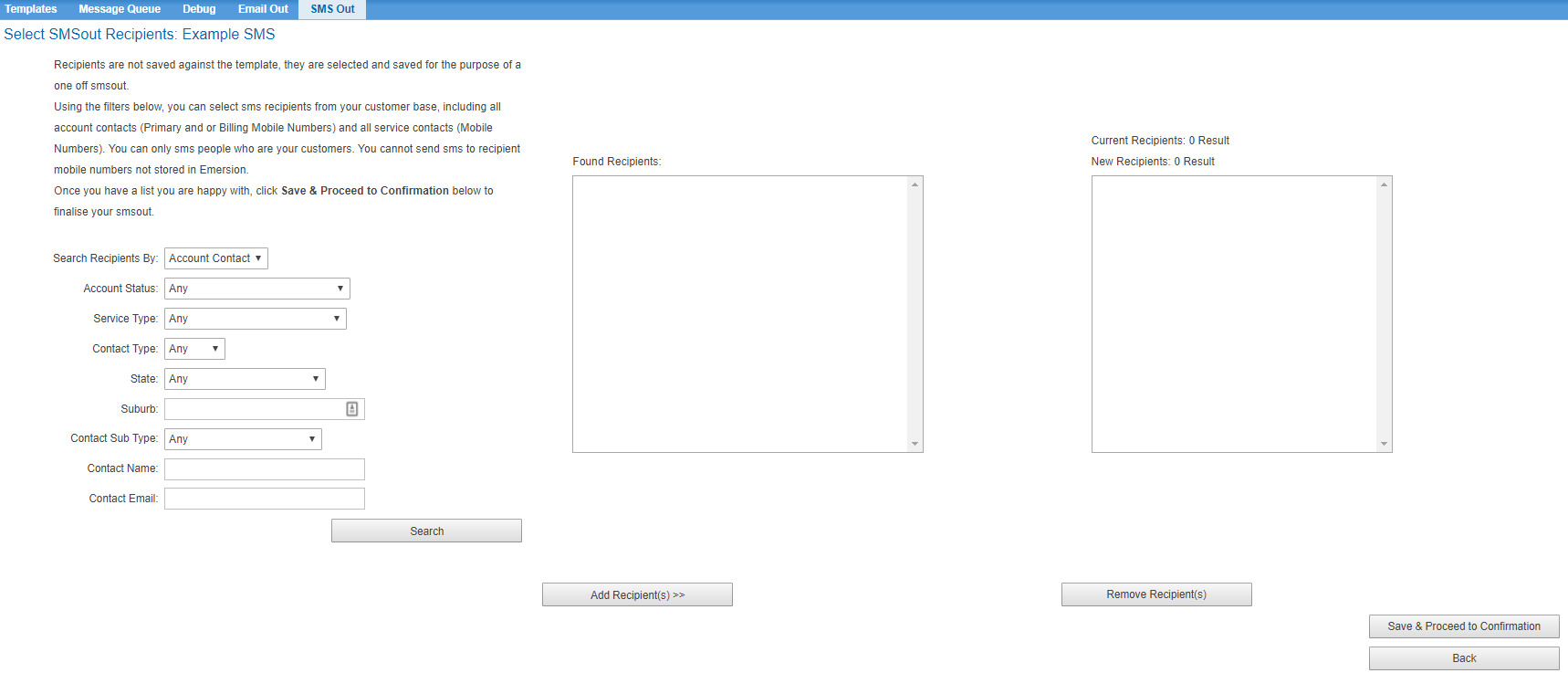
If a contact needs to be removed from the list of recipients, highlight the contact and press the Remove Recipient(s) button to remove them from the Current Recipients.
When the list of recipients is complete, press the Save & Proceed to Confirmation button.
Review and Confirm
The final page provides a way to review the message and recipients before sending. Use the Back buttons to move back in the process, correct the data and progress again.
When you are happy and want to send the SMS to the recipients, press the Send Smsout button.