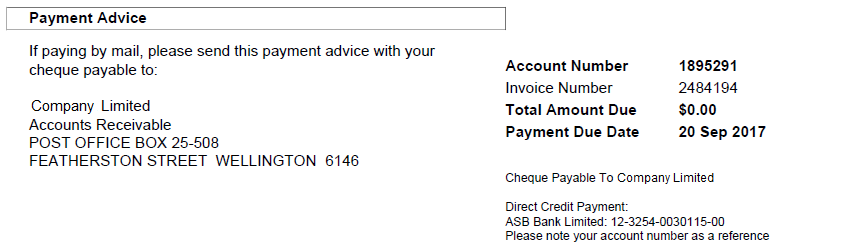
Setting Name: Show Pay by Cheque.
This setting will show the mailing details regarding cheque payments under the Payment Advice section.
Before this setting can be used, the mailing information must be configured under the Admin > My Invoice Template > Invoice Layouts > Organisation Details tab. If the cheque payable to field is not configured, the cheque payment option will not show on the invoice, even if this setting is enabled.
The address for mailing the cheque is configured under Admin > My Invoice Template > Invoice Layouts > Addresses.
Enter a Pay To address to advise customers where to mail the cheque.
The default setting is Enabled.
Service providers do not have to explicitly enable this setting to show this block on the invoice. This setting will be very handy in cases where it is necessary to hide this payment option for a period of time, then make it available again.
Related Design Settings
Use this setting in conjunction with these other settings