...
While the system will retry synchronisation in accordance with the sync schedule, user may bring forward the retry time manually if required.
This page is designed to identify the underlying problem of data being pushed from Emersion to Xero so that users can rectify the issue. Affected records can attempt to be synchronised immediately.
Need Troubleshooting Help?
...
Viewing Integration Errors
1. Navigate to the Admin Menu → Xero →Integration Admin > Xero > Integration Errors.
2. From here you will see a list of current outstanding errors. These errors come from the Xero API directly and not all errors will be known to Emersion.
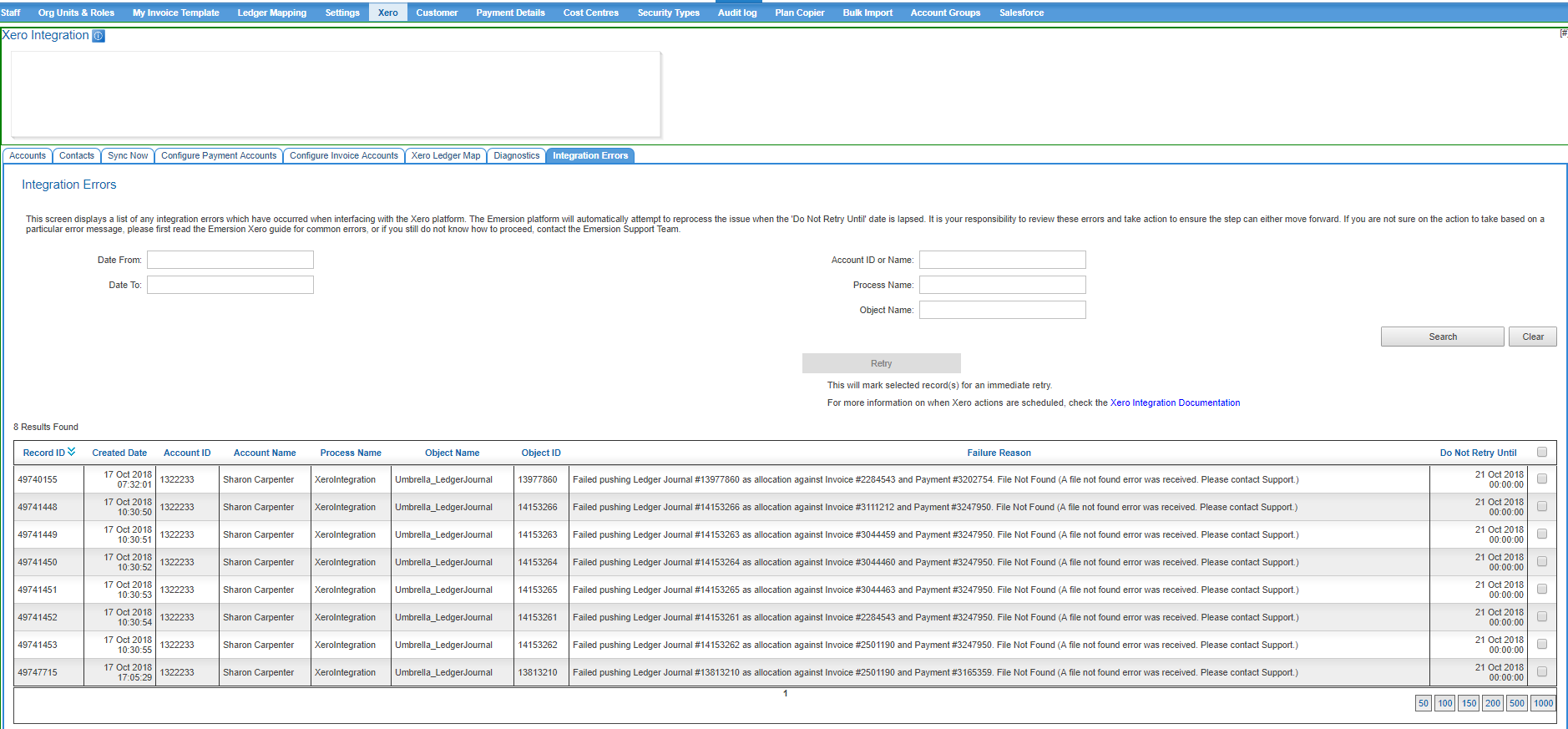
3. Before cleansing, rectify any underlying issues as required. ##### if there are any links to existing help that can direct the user based on the output here, add them. #####Some examples are located on our Xero troubleshooting guide.
4. Note that the retry Retry button is greyed out until such time you select one or more records.
5. After checking desired records to retry, click "the Retry "button
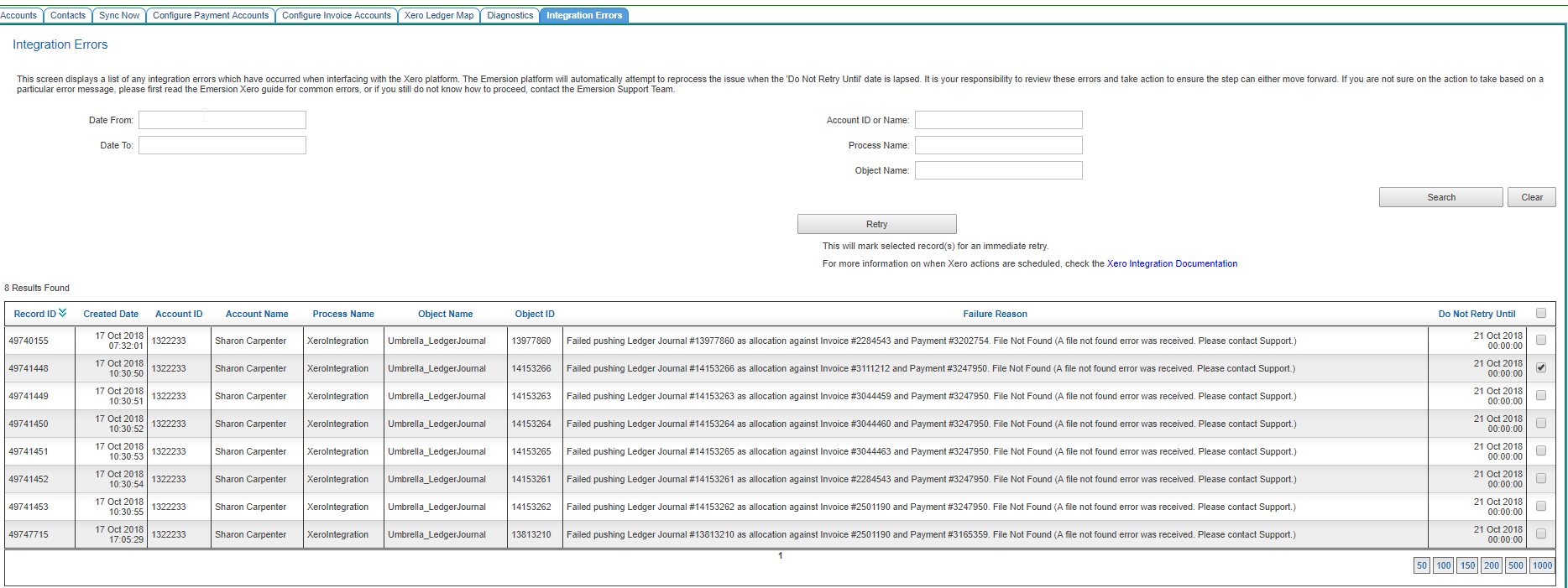
6. After this you will see a confirmation text box display indicating success.
...
7. When the actual retry attempt will occur after cleansing will depend on the record type . (as different pollers are responsible for pushing different data
Refer to the Xero Sync Schedule for more information. . If required, you can force a sync on demand by following these instructions.
| Info |
|---|
Where the error is "rate limit exceeded", consider whether re-pushing immediately is an appropriate action. The rate limit refers to the amount of objects we can push to Xero within a given time frame. Re-pushing the same objects again after a recent attempt may only serve to force Cumulus to hit the rate limit again. Refer to Xero API Rate Limits for more information. |
...