Overview
This article is for service providers who are newly subscribed to the Xero Integration module and are looking to establish a Emersion → Xero link for the first time.
To establish a connection to Xero from Emersion, follow the instructions below.
Connect To Xero
Admin > Xero
The first time a user sees the Xero Integration page, they will be presented with a message at the top prompting that a connection needs to be established. There is also a Connect To Xero button below the heading.

Press the Connect To Xero button.
The user will be redirected to a Xero page to authorise an application called Emersion Payment Integration.

To authorise Emersion, enter a Xero username and password and click Login. The user will then be asked to explicitly allow Emersion access to Xero.
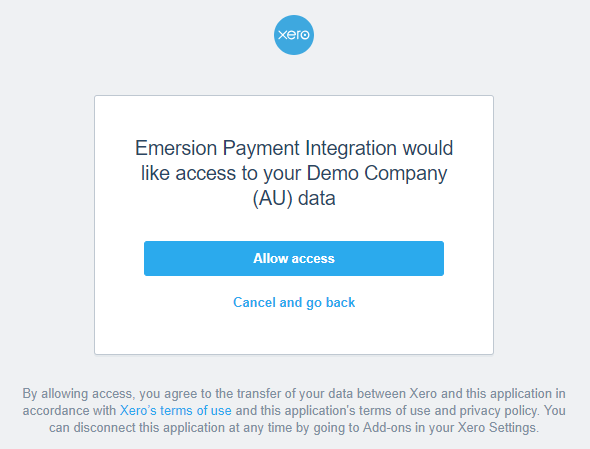
Click Allow Access to proceed.
Once the access has been established, the user will be redirected back to Cumulus with a message saying that they have successfully authenticated with Xero. If a connection cannot be established, check your internet connection. If you are connected to the internet and still cannot connect to Xero, create a service request ticket with Emersion.
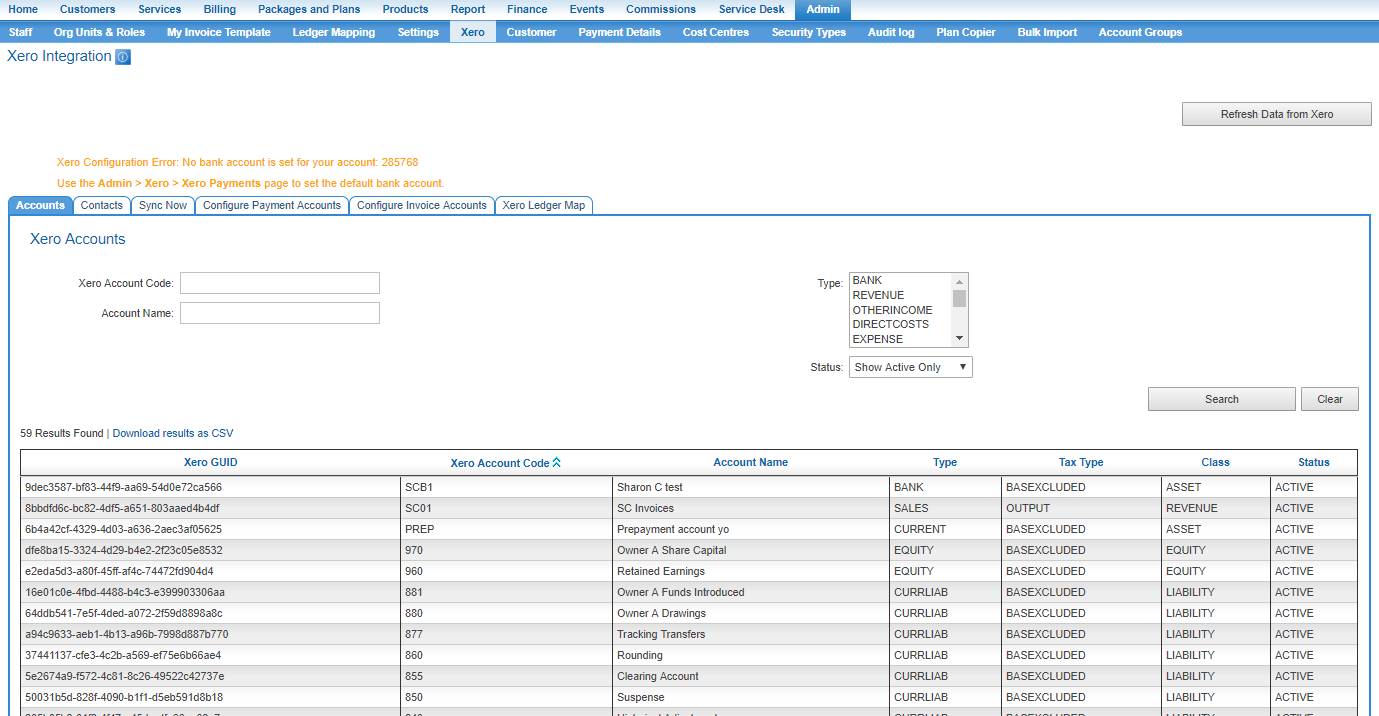
As shown above, the user will be presented with several sub tabs as shown above with the Accounts tab showing the Chart of Accounts that has been retrieved from Xero.
With the Emersion → Xero link now having been established, the rest of the configuration can be completed.