Organisations that have Cumulus connected to Xero occasionally may encounter problems when synchronising data between the two platforms. The Xero Integration Errors page provides the user with the ability see the errors that are currently preventing the system from synchronising.
While the system will retry synchronisation in accordance with the sync schedule,
This page is designed to identify the underlying problem so that users can rectify the issue. Affected records can attempt to be synchronised immediately.
Need Troubleshooting Help?
Our Xero troubleshooting guides will assist users though most of the common issues.
Viewing Integration Errors
1. Navigate to the Admin Menu → Xero →Integration Errors.
2. From here you will see a list of current outstanding errors.
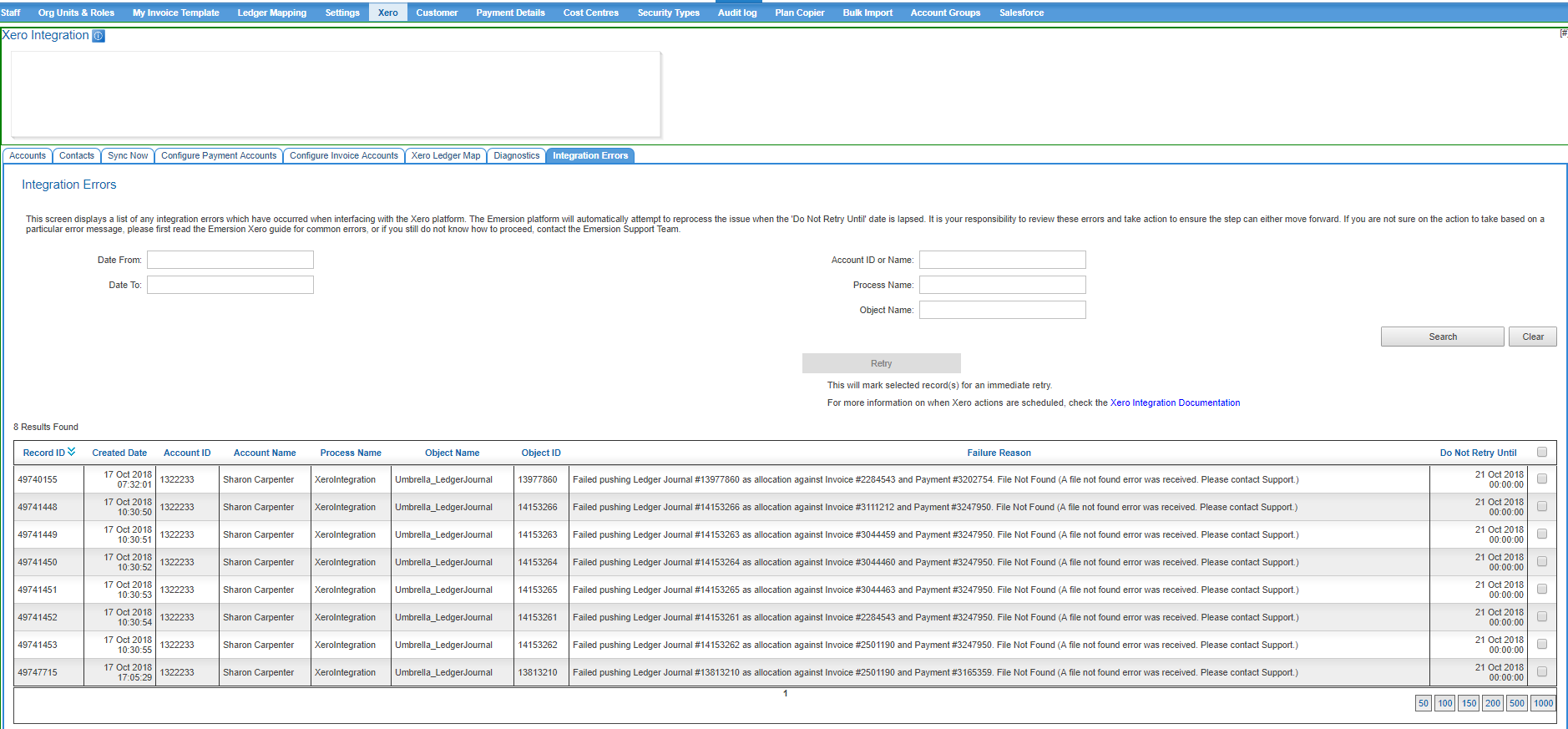
3. Before cleansing, rectify any underlying issues as required. ##### if there are any links to existing help that can direct the user based on the output here, add them. #####
4. Note that the retry button is greyed out until such time you select one more records.
5. After checking desired records to retry, click "Retry"
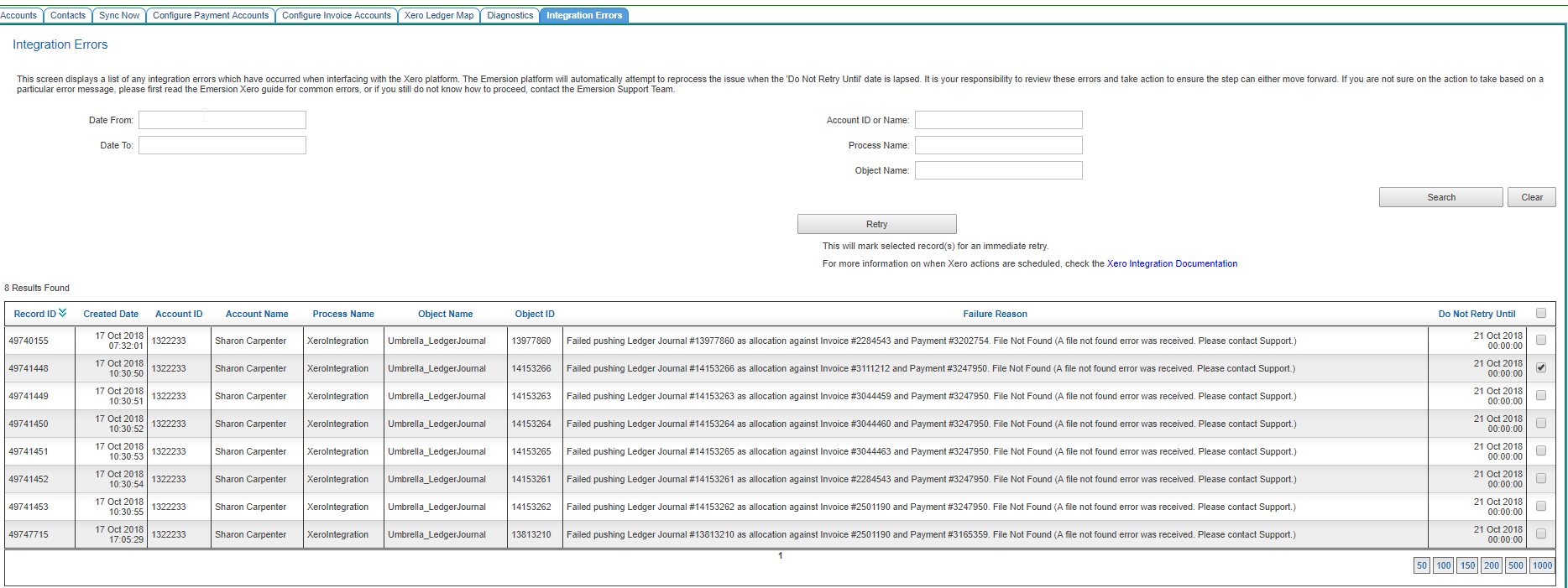
6. After this you will see a confirmation text box display indicating success.

7. When the actual retry attempt will occur after cleansing will depend on the record type. Refer to the Xero Sync Schedule for more information.
Where the error is "rate limit exceeded", consider whether re-pushing immediately is an appropriate action. The rate limit refers to the amount of objects we can push to Xero within a given time frame. Re-pushing the same objects again after a recent attempt may only serve to force Cumulus to hit the rate limit again. Refer to Xero API Rate Limits for more information.