Overview
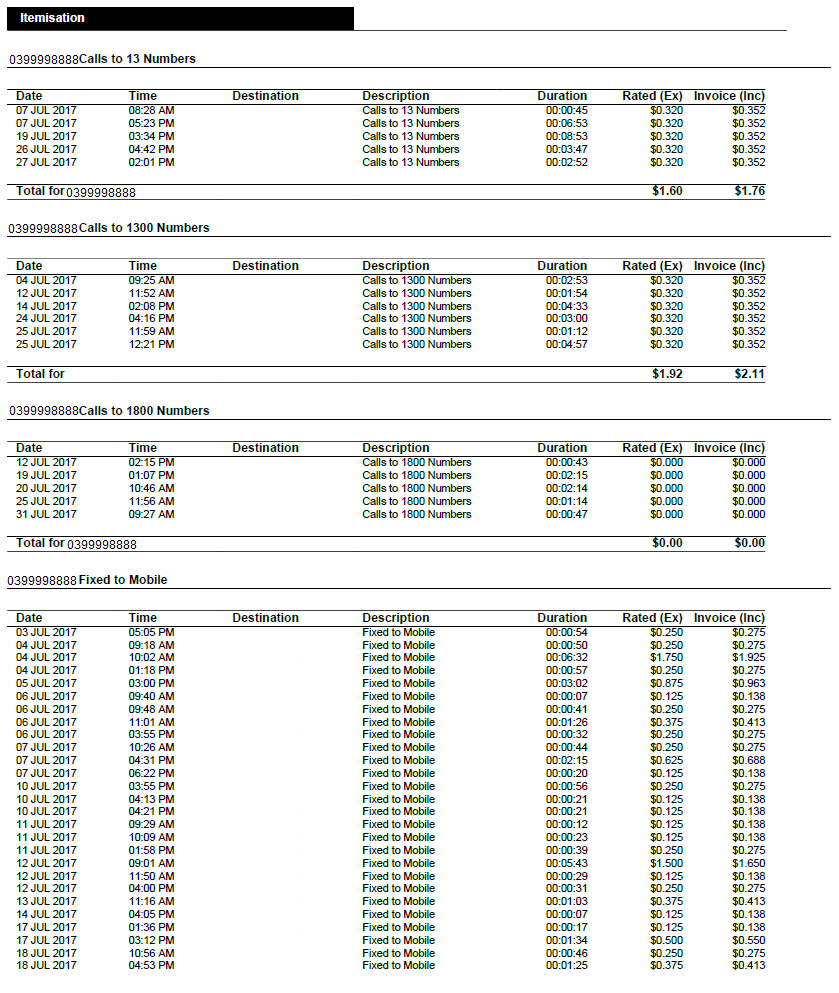
This article covers how to configure an invoice with call itemisation if the customer purchases telephony services. The call itemisation settings section of the invoice layout provides the ability to define how much (or how little) of the usage should be itemised on the invoice.
Invoices with more than 6000 lines will not render in a PDF. Instead, summary invoices will be produced. Emersion recommends to Service Providers who have customers with large invoices advise their customers to access and download their usage data via the End User Portal.
Admin > My Invoice Template > Invoice Layout > Manage Call Itemisation Layout
Tariffs that are added to the call itemisation list will be summarised in the Package Summary section of the invoice and will not be itemised.
To add a tariff to the call itemisation list:
- Choose the Service Type Category from the list available.
- Select the tariff or tariff group from the list available.
- If another level of tariffs reside under the tariff group chosen above, you can select from this list to refine your selection further.
When you are happy with your selection, click the Add Itemisation button.
Related Pages