Overview
This article covers how custom messages can be configured for an invoice layout. This section provides a way for service providers to utilise an area on the invoice template that would otherwise contain white space. Service providers can choose the custom message to be delivered via:
- Text Plain text is supported or service providers can utilise the extended styling options.
- An image. Image size restrictions apply. Only applies to the Note Footer type (in which case this will be called an Image Footer)
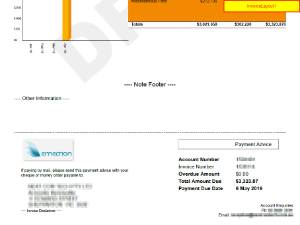
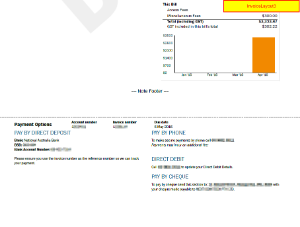
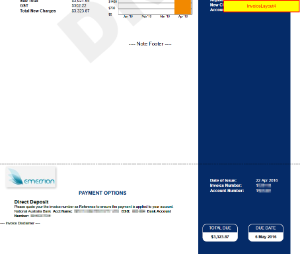
There are three different custom messages available. The following matrix will details which invoice layout type supports which different customer message type;
* = supported
| Invoice Layout | Sample | Note Footer | Other Information | Invoice Disclaimer |
|---|---|---|---|---|
InvoiceLayout1 |
| * | * | * |
| InvoiceLayout2 | 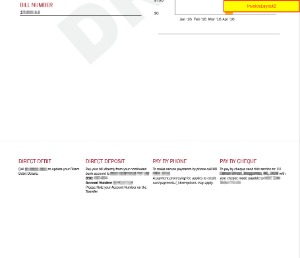 | Not Supported | Not Supported | Not Supported |
| InvoiceLayout3 |
| * | Not Supported | Not Supported |
| InvoiceLayout4 |
| * | Not Supported | * |
| UsageStatement |
| * | * | * |


Support Limitations
The Cumulus User Interface supports both entering an image and textural options for the Note Footer, and text for the Other Information & Invoice Disclaimer.
The support for a Note Footer custom message is implemented differently depending on which invoice layout type you use (as configured in your invoice design). The table below contains a list of invoice design types and the corresponding support. If the invoice layout type used by your organisation is not listed here, this indicates you have a custom template. Custom template users should contact Emersion if they are unsure of the support.
| Layout Layout Type | Result |
|---|---|
| Invoice Layout 1 | If an image is specified, this will take precedence over any text. If an image is not used, the system will display the text footer. |
| Invoice Layout 2 | Neither is supported. |
| Invoice Layout 3 | Supports a text Note Footer only. Images are not supported. |
| Invoice Layout 4 | Supports a text Note Footer only. Images are not supported. |
| PDFInsertWithCostCentre | Both text and images are not supported. Service Providers with this design type should use the invoice design custom message settings. |
As Emersion's PDF rendering engine uses XML to generate data, please avoid using XML special characters like Alternatively you can;
|
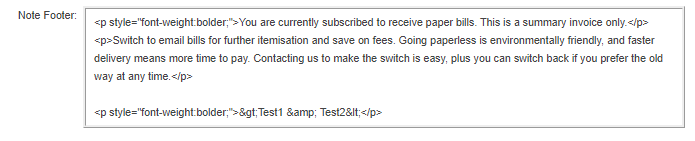

Configuration
Admin > My Invoice Template > Invoice Layout > Custom Message
The page will initially load in VIEW mode. Press the Edit button to put the page into EDIT mode.
Configure: Note Footer
- Enter plain text as appropriate. Limited extended styling options are available.
Configure: Image Footer
Only a single image may be uploaded and stored at a time. To do so;
- Click on the Browse button and select an image from your computer
- Enter the Image Footer Width and Image Footer Height in mm.
An image can be removed by using the Remove button.
Be careful when entering image dimensions and be aware of their impact. Help on the image dimensions is found here. An an A4 page is 210mm wide. Therefore, it is not recommended images wider than 200mm is used. Also, if an image is higher than approx 20mm, any text entered into the Other Information text field will be pushed to page 2 of the invoice. Use only print quality images (250dpi or greater). |
Configure: Invoice Disclaimer
- Enter plain text as appropriate. Limited extended styling options are available.
Configure: Other Information
- Enter plain text as appropriate. Limited extended styling options are available.
Once chosen fields have been filled out click the Submit button to save the custom message settings.