Overview
This article contains instructions on how to configure Extension Level Billing against a single service.
Enable or Disable Extension Level Billing
Extension level billing is applied to the package chain of a package subscription.
If a service-based package chain has not been created for the service, this will need to be done first.
Don't know how to create package chains? Creating package chains is covered in this article. |
Customer > Package Subscription > Package Chain Configuration.
Open the package chain by clicking its ID. The Package Chain Information page will be displayed.
Click Edit Package Chain Info button to put the page into EDIT mode.
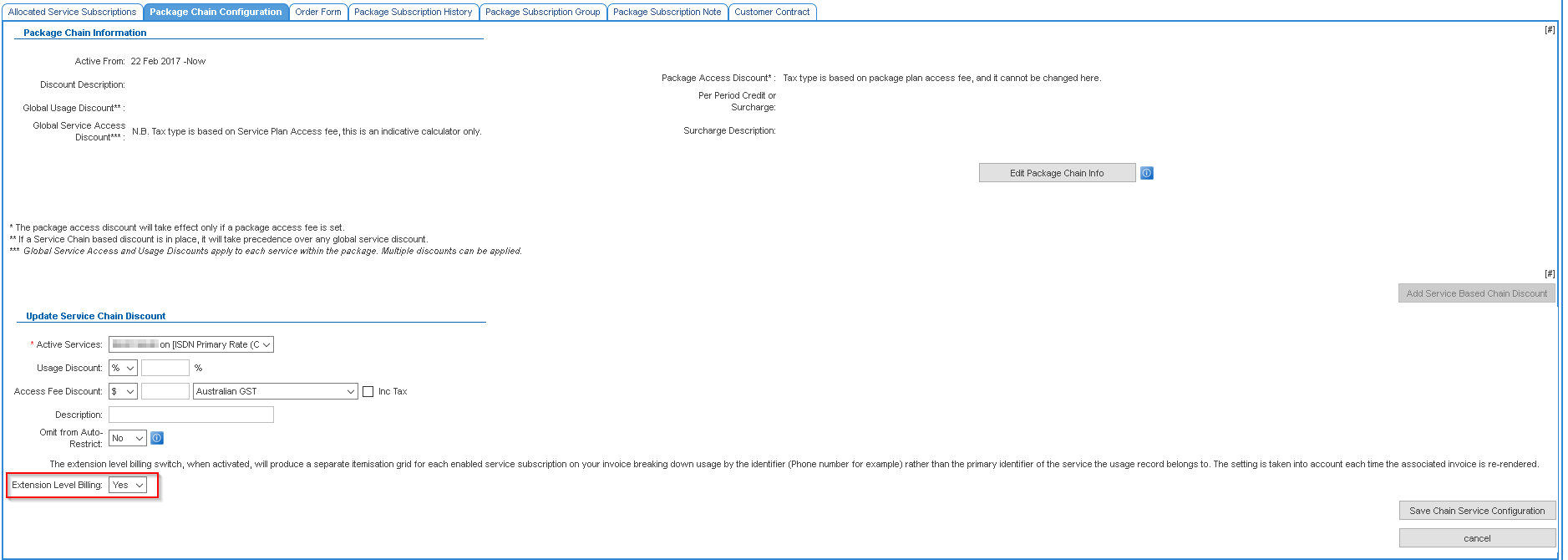
Under the Update Service Chain Discount section is the Extension Level Billing flag
- To enable extension level billing for the service, select Yes.
- To disable extension level billing for the service, select No.
Press the Save Chain Service Configuration to apply the change.
The Update Service Chain Discount page requires the user to enter either a value for the Usage Discount or Access Fee Discount. Use '0' if no discount applies. When 0 is used, the value will appear empty when the page is in EDIT mode. |