Overview
The Manage Invoice screen is a core page of Cumulus and is used to:
- view the content of an invoice on screen
- make changes to a pending invoice
- perform various functions on an invoice.
While the Manage Invoice screen is used to access and manage any invoice regardless of its status, functions and setting controls that are available on the page will vary. For example, functions that apply exclusively to Pending invoices, will be unavailable to users when an invoice is in an Approved state.
Ledger cardlines that are the result of aggregating a service's usage, and any other cardlines associates with usage (i.e. included value) cannot be edited or deleted. |
Accessing the Manage Invoice Screen
There are two pathways to access the Manage Invoice screen.
Via the Customer
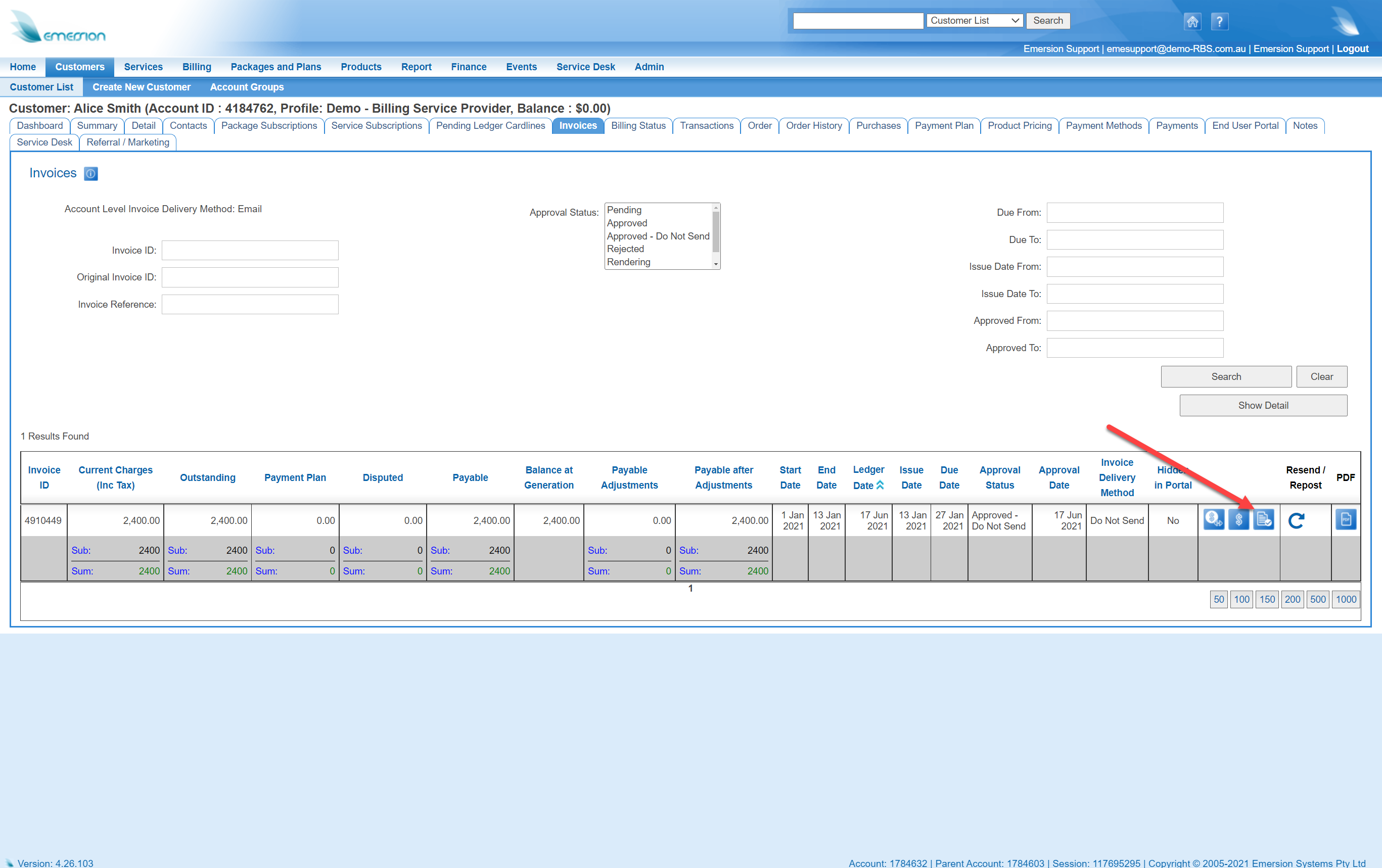
- Navigate to the Customer > Invoices tab.
- Use the search filters to find the invoice.
- Click on the Manage Invoice icon on the right-hand side of the list (as marked in red below).
Via Finance
Navigate to
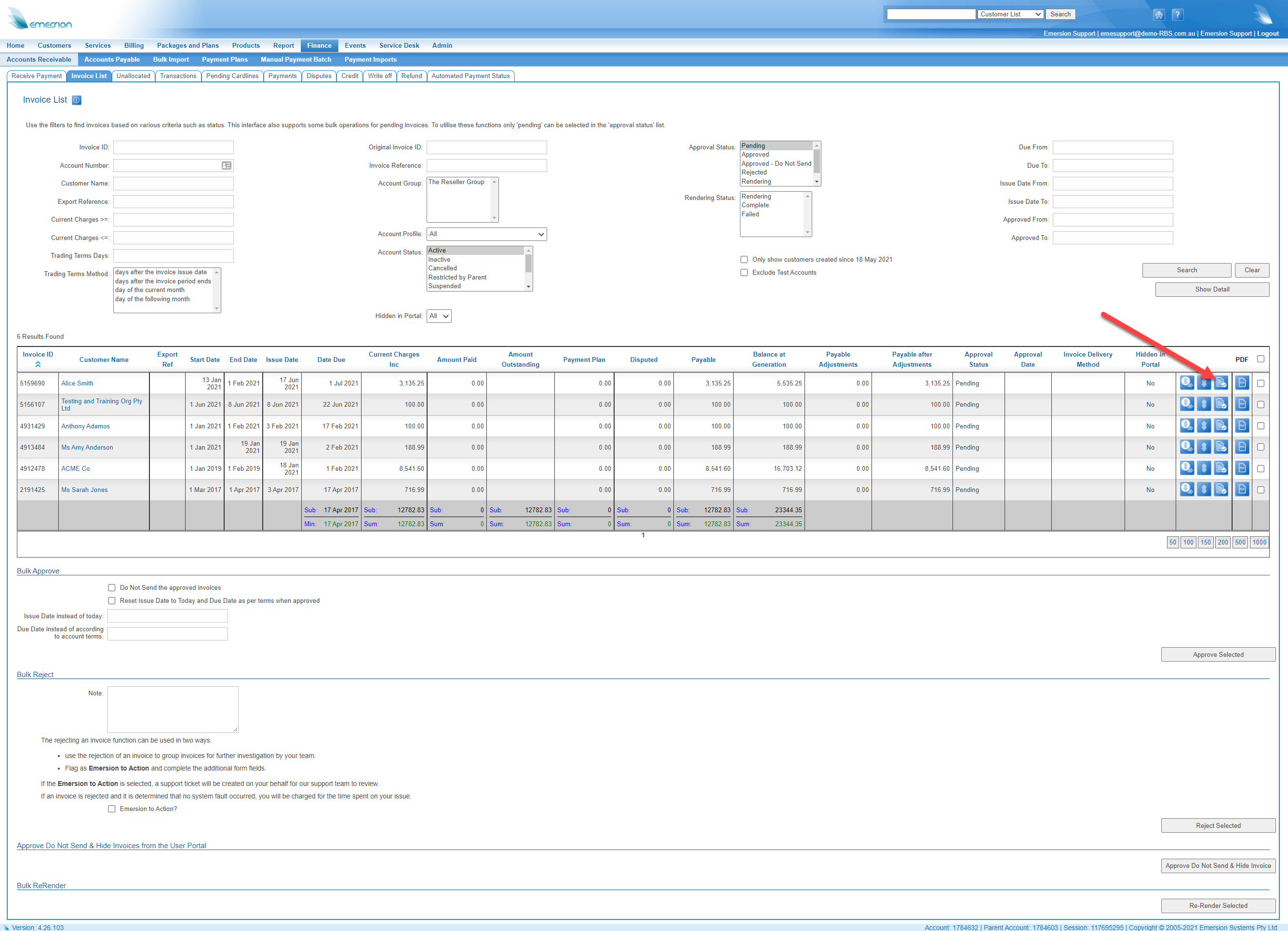
- Navigate to the Finance > Accounts Receivable > Invoice List screen
- Use the search filters to find the invoice.
- Click on the Manage Invoice icon on the right-hand side of the list (as marked in red below).
Managing a Pending Invoice
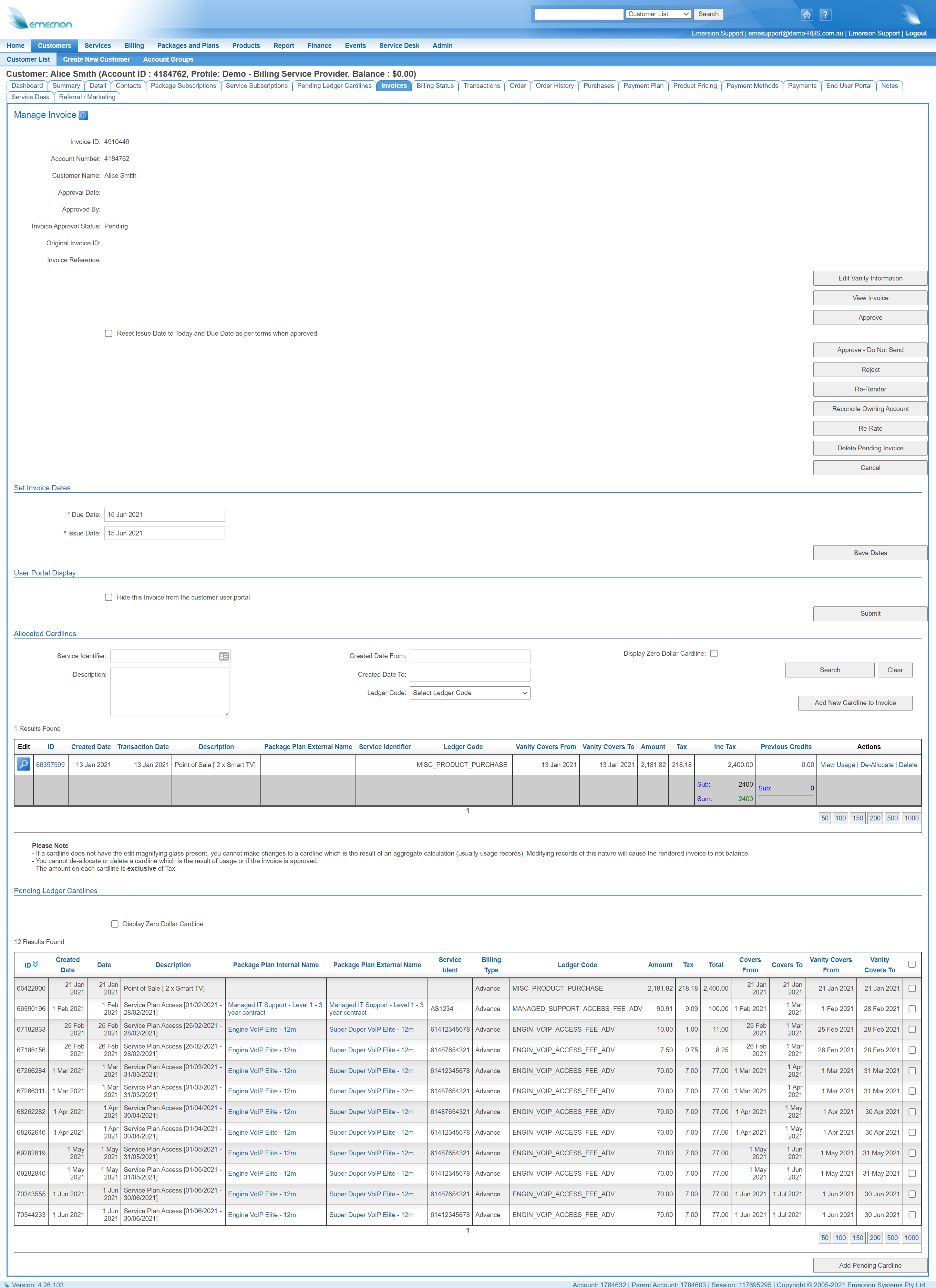
When managing a pending invoice, the following functions will be available.
- View the Invoice.
- Edit Vanity Information.
- Approve an Invoice.
- Reject an Invoice.
- Re-render the invoice.
- Re-Rate Invoice.
- Update the trading terms for this invoice (invoice issue date, invoice due date).
- Update the allocated cardlines on the invoice
- Allocate Pending cardlines to the invoice.
- Deallocate cardlines from the invoice, returning them to a Pending state.
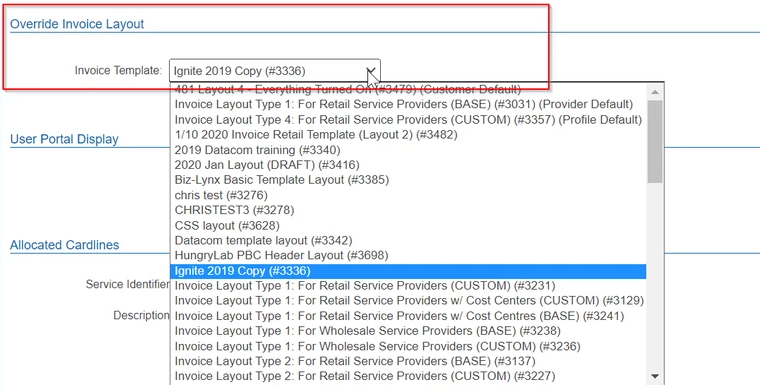
- Override the invoice layout
The Manage Invoice Screen for a Pending Invoice
Managing an Approved Invoice
When managing an approved invoice, the following functions might be available, depending on your subscription with Emersion:
- View the invoice.
- Grant a payment extension.
- Unapprove the invoice.
- Re-send the invoice.
- Hide the invoice from the End User Portal.
- View the cardlines that are allocated to the invoice.
The Manage Invoice Screen for an Approved Invoice
