Overview
This page describes the process for adding a new site to an End User.
Accessing the Site List
Begin by navigating to a customer, then open the Sites tab. This will display the sites list for this customer.
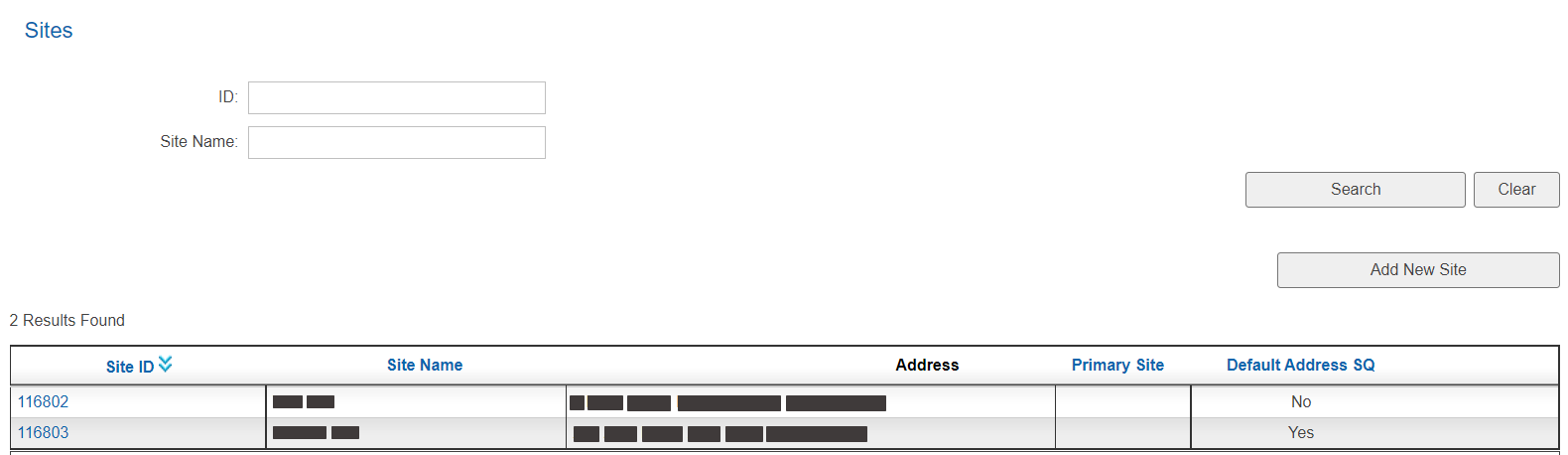
Press the Add New Site button.
Create New Site
Enter the site details as described below.
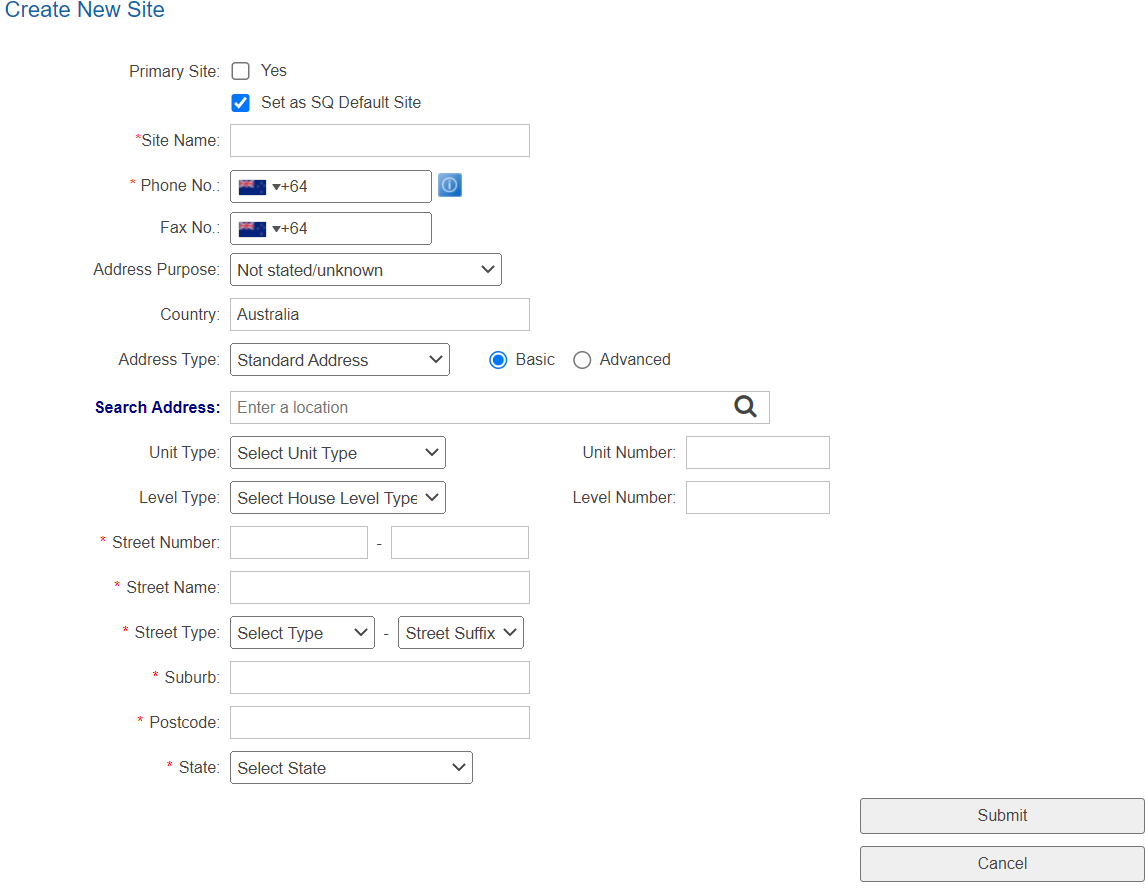
| Field | Description |
|---|---|
| Primary Site | Set this site as the customers primary site. This will replace any previous site that had this box checked. |
| Set as SQ Default Site | Set this address to be used as the default address for Service Qualification for new customers created using the Sign Up Portal as described here. |
| Site Name | Enter a name to use for this site. |
Enter the site phone and fax details as described here.
Enter the sites address as described here.
When you've finished entering the details, press Submit to create the site.